> ## Documentation Index
> Fetch the complete documentation index at: https://sequence-0fb8d9e6-api_docs.mintlify.site/llms.txt
> Use this file to discover all available pages before exploring further.
# Unreal Ecosystem Wallet Setup
> Ecosystem Wallet Documentation for Sequence's Unreal SDK.
Create a project on [Sequence Builder](https://sequence.build) and download your config file as shown below.
Next, create a `SequenceConfig.ini` file and place it inside your Unreal projects `Config` directory. Paste the following the content into the SequenceConfig.init file:
```
[/Script/Sequence.Config]
DefaultChain = "421614" // Arbitrum Sepolia
ProjectAccessKey = ""
WalletAppUrl = "https://v3.sequence-dev.app"
UrlScheme = "your-scheme"
```
Make sure your config file includes the required fields:
* **DefaultChain:** The chain id you want to use as a default. You can [change the chain id at runtime](/sdk/unreal/indexer/read-from-blockchain#set-chain-by-id) later as well.
* **ProjectAccessKey:** Your Project Access Key from your [Builder project.](https://sequence.build/)
* **WalletAppUrl:** The URL of the Ecosystem you want to connect to. If you are unsure, use `https://v3.sequence-dev.app` as a default.
For iOS and Android:
* **UrlScheme:** You have to configure this for your Android Manifest and Xcode project as well.
You can optionally get the configured auth providers from the Ecosystem directly and check if your target auth method, like Email or Google, is supported.
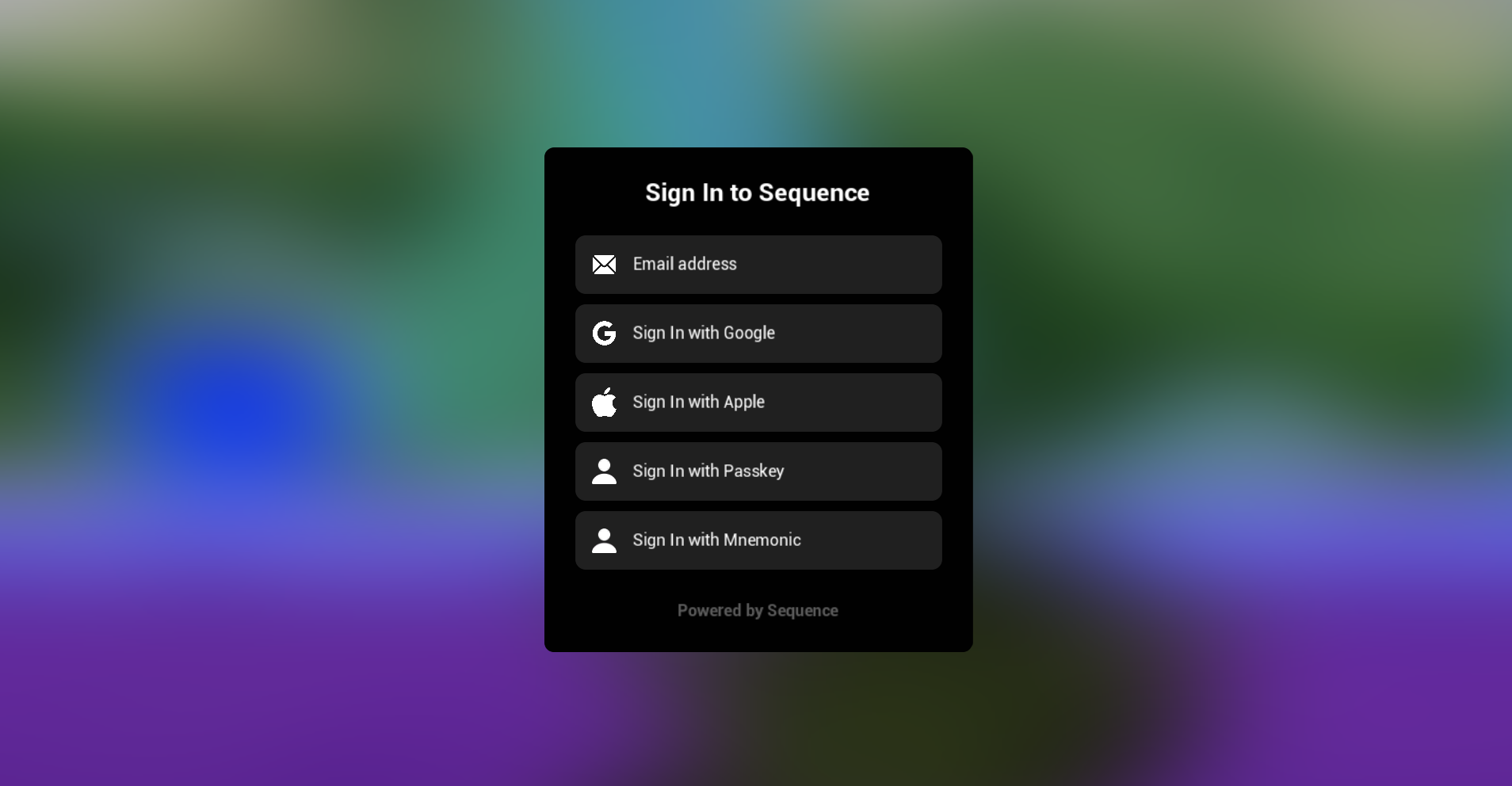
Next, let's call an auth method like Google. This will redirect the user to an external browser to authenticate against the Ecosystem.
You have two options to authenticate. You either create an implicit- or explicit session. You create an implicit session by passing no node to the `Permissions` field.
Implicit session will only allow transactions to contracts from the Ecosystem. For this demo, let's instead create an explicit session for a specific contract.
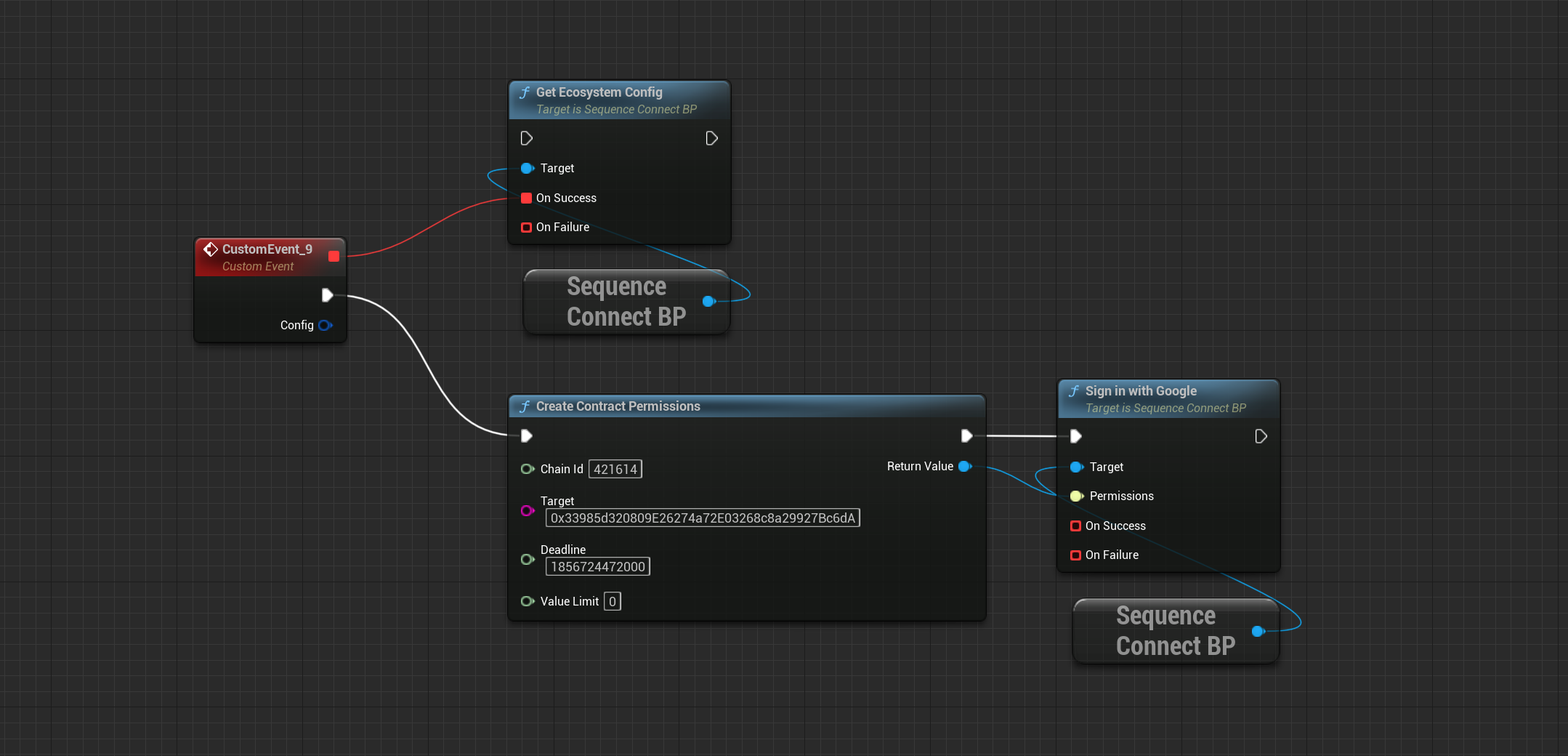 ```cpp theme={null}
// Create the permissions object
const FString Target = TEXT("0x33985d320809E26274a72E03268c8a29927Bc6dA");
const int64 ChainId = 421614;
const int64 Deadline = 1856724472000;
const int64 ValueLimit = 0;
UContractPermissions* Permissions = UContractPermissions::CreateContractPermissions(ChainId, Target, Deadline, ValueLimit);
// Let's call the Sign-in method
const TSuccessCallback SuccessCallback = [OnSuccess](const bool& Result) { };
const FFailureCallback FailureCallback = [OnFailure](const FSequenceError& Error) { };
USequenceConnect* Connect = NewObject();
Connect->GetEcosystemConfig(...);
Connect->SignInWithGoogle(Permissions, SuccessCallback, FailureCallback);
```
The Unreal SDK comes with a set of [boilerplate widgets](/sdk/unreal/bootstrap) to get you started.
Make sure to enable `Enable Plugin Content` in your Content Browser's settings.
```cpp theme={null}
// Create the permissions object
const FString Target = TEXT("0x33985d320809E26274a72E03268c8a29927Bc6dA");
const int64 ChainId = 421614;
const int64 Deadline = 1856724472000;
const int64 ValueLimit = 0;
UContractPermissions* Permissions = UContractPermissions::CreateContractPermissions(ChainId, Target, Deadline, ValueLimit);
// Let's call the Sign-in method
const TSuccessCallback SuccessCallback = [OnSuccess](const bool& Result) { };
const FFailureCallback FailureCallback = [OnFailure](const FSequenceError& Error) { };
USequenceConnect* Connect = NewObject();
Connect->GetEcosystemConfig(...);
Connect->SignInWithGoogle(Permissions, SuccessCallback, FailureCallback);
```
The Unreal SDK comes with a set of [boilerplate widgets](/sdk/unreal/bootstrap) to get you started.
Make sure to enable `Enable Plugin Content` in your Content Browser's settings.
 If you used v1 or v2 of the Unreal SDK: `SequenceWallet` classes now refer to the Ecosystem Wallet. Use `SequenceEmbeddedWallet` instead, if you want to continue with your Embedded Wallet integration.